
Is rConfig a good SolarWinds NCM alternative?
Yes, for the configuration half. rConfig is self-hosted on Linux, and rConfig Core is free and open source.
Looking for a SolarWinds alternative for config backup, change tracking, compliance and multi-vendor automation? rConfig does that job on infrastructure you control, priced by device band. It does not replace SolarWinds monitoring, and this page says exactly where the line sits, with dated sources.
Self-hosted on Linux · Free, open-source Core · Multi-vendor · Sources dated
The short answer
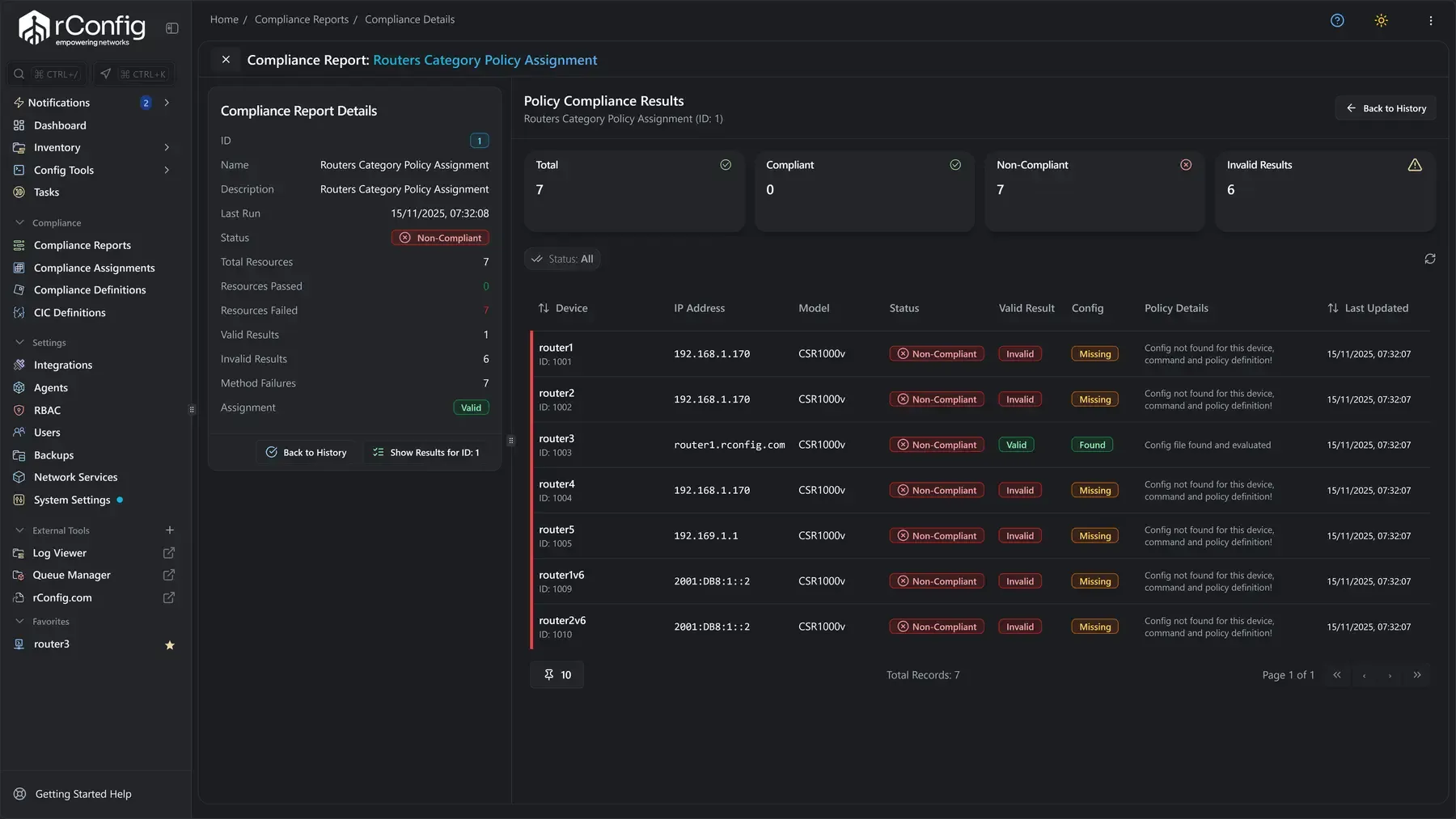
Yes, for configuration management specifically. rConfig is a self-hosted network configuration management platform that runs on Linux, and it does the job SolarWinds Network Configuration Manager does: config backup, change tracking with line-by-line diffs, compliance checks with audit evidence, and multi-vendor automation. It does not replace SolarWinds monitoring, so Network Performance Monitor, Orion monitoring and the other observability modules stay where they are. rConfig Core is free and open source, and the commercial editions are priced by device band rather than by node tier.
What rConfig replaces, and what it does not
SolarWinds sells configuration management and monitoring as modules of one platform. rConfig does one of those jobs, in full. Knowing which one saves everybody time.
Replaces: SolarWinds Network Configuration Manager
The whole configuration job, on Linux you run. Each capability below has its own page.
Config backup, scheduled and on demand. network configuration backup.
Change tracking and line-by-line diffs. configuration versioning and rollback.
Compliance checks and audit evidence. compliance and security auditing.
Config restore from a known-good version. configuration restore.
Multi-vendor automation and bulk changes. multi-vendor configuration management and bulk configuration deployment.Does not replace: SolarWinds monitoring
rConfig is not a monitoring product and does not pretend to be one. It does not replace any of these. If monitoring is what you are replacing, rConfig is not the tool. If configuration management is what you are replacing, it is.
- Network Performance Monitor (NPM)
- Orion monitoring
- NetFlow Traffic Analyzer
- Server and Application Monitor (SAM)
- Log Analyzer
Runs alongside: the monitoring you already have
Keep the monitoring you have and replace the config half. Both products only read from your devices, so rConfig runs next to NPM or Orion monitoring without either getting in the other's way. Where you run a different monitoring platform, rConfig syncs device inventory from it over its REST API. Documented integrations: Paessler PRTG integration, Zabbix integration, Checkmk integration, AKIPS integration and Statseeker integration. The full list is on the rConfig integrations page.
When rConfig Is the Better Fit
SolarWinds NCM connects with the wider SolarWinds platform. rConfig stays focused on network configuration management. Run it on your own infrastructure and scale it as your network grows.
Built for configuration management
Network configuration management is the whole product, not one part of a larger platform. Deploy what you need and scale it as your network grows.
Licensing built around NCM
Pay for the configuration management you need, not a wider monitoring platform. Commercial editions are a flat annual price by device band.
Your network data stays with you
Run rConfig on your own Linux infrastructure. Your device credentials, backups and change history stay in your environment.
Start free. Scale when ready.
rConfig Core is free and open source. Try it with real devices on your network, then move to a commercial edition when you need more scale, control and support.
rConfig vs SolarWinds NCM
Both products manage network configurations. The difference is how they are packaged, deployed, licensed and scaled. Each cell names its source. Source checked: 13 September 2026. SolarWinds, Orion and SolarWinds Network Configuration Manager are trademarks of their respective owner. SolarWinds NCM is available both as part of SolarWinds Observability Self-Hosted and as a standalone Orion module. This comparison is provided for evaluation purposes, describes competitor capabilities in general terms, and reflects publicly documented product information at the time of writing. All sources are listed in the dated sources.
- What mattersMain focusSolarWinds NCMNCM within a wider monitoring platform3rConfigA platform built for network configuration management14
- What mattersPackagingSolarWinds NCMSold under SolarWinds Observability Self-Hosted, and as a standalone Orion module on the SolarWinds Platform32rConfigA single product, self-hosted on Linux14
- What mattersBackupsSolarWinds NCMScheduled backups across multiple vendors3rConfigScheduled backups with full version history14
- What mattersChange trackingSolarWinds NCMCompare configurations and see changes3rConfigSee every change with line-by-line diffs15
- What mattersComplianceSolarWinds NCMPolicy checks and fixes3rConfigCompliance checks, reports and audit evidence16
- What mattersDeploymentSolarWinds NCMSelf-hosted on Windows Server, as an Orion module on the SolarWinds Platform or within Observability Self-Hosted53rConfigSelf-hosted on Linux, on a server or in Docker14
- What mattersData controlSolarWinds NCMData stays in your SolarWinds environment3rConfigData stays on infrastructure you control14
- What mattersLicensingSolarWinds NCMNode based, tiers DL50 through DLX4rConfigFlat annual price by device band9
- What mattersEditionsSolarWinds NCMrConfigOpen-source Core with commercial editions9
- What mattersScaleSolarWinds NCMNode tiers to DLX4rConfigBenchmarked to 50,000 devices10 See how rConfig counts devices.
- What mattersHow to startSolarWinds NCMStart a commercial trial3rConfigTry Core or plan a commercial evaluation9
- What mattersBest forSolarWinds NCMTeams already using the SolarWinds platform3rConfigTeams that want focused NCM without a wider platform14
| What matters | SolarWinds NCM | rConfig |
|---|---|---|
| Main focus | NCM within a wider monitoring platform3 | A platform built for network configuration management14 |
| Packaging | Sold under SolarWinds Observability Self-Hosted, and as a standalone Orion module on the SolarWinds Platform32 | A single product, self-hosted on Linux14 |
| Backups | Scheduled backups across multiple vendors3 | Scheduled backups with full version history14 |
| Change tracking | Compare configurations and see changes3 | See every change with line-by-line diffs15 |
| Compliance | Policy checks and fixes3 | Compliance checks, reports and audit evidence16 |
| Deployment | Self-hosted on Windows Server, as an Orion module on the SolarWinds Platform or within Observability Self-Hosted53 | Self-hosted on Linux, on a server or in Docker14 |
| Data control | Data stays in your SolarWinds environment3 | Data stays on infrastructure you control14 |
| Licensing | Node based, tiers DL50 through DLX4 | Flat annual price by device band9 |
| Editions | Commercial licence, standalone or within the wider platform32 | Open-source Core with commercial editions9 |
| Scale | Node tiers to DLX4 | Benchmarked to 50,000 devices10 See how rConfig counts devices. |
| How to start | Start a commercial trial3 | Try Core or plan a commercial evaluation9 |
| Best for | Teams already using the SolarWinds platform3 | Teams that want focused NCM without a wider platform14 |
What SolarWinds NCM costs, and what rConfig costs
SolarWinds publishes some prices and quotes the rest. Every figure below says who published it. Nothing here is a quote, and your agreement governs your terms. Last verified: 13 September 2026.
What SolarWinds publishes
SolarWinds' own pages, read 13 September 2026.
SolarWinds lists Observability Self-Hosted from 8 USD per node per month on its Essentials tier, on multi-year contracts billed annually. Network Configuration Manager features are included in that offering.13
Sold on its own, Network Configuration Manager is an Orion module on the SolarWinds Platform, and SolarWinds says it starts at 754 USD. Licensing is by node, in seven tiers from DL50 (up to 50 devices) to DLX (unlimited).24What third parties report
Software listings, read 13 September 2026.
SoftwareAdvice lists SolarWinds Network Configuration Manager at 1,738.00 USD flat rate per month.6
GetApp lists the same starting price, 1,738 USD flat rate per month.7
These are the listing sites' figures, not a SolarWinds quote. Where a listing and a SolarWinds page disagree, the SolarWinds page is the one to ask about.The licensing change, as customers report it
Customer reporting, not SolarWinds policy.
Customers on r/Solarwinds report a global move from perpetual to subscription licensing, with renewal quotes rising. Checked 13 September 2026.8
We have not seen this stated as policy on a SolarWinds page, so it is reported here as what customers say. If you hold a perpetual licence, your renewal quote is the document that settles it.rConfig
rConfig pricing page.
rConfig Core is free and open source, with no device limit. It is the self-hosted way to test rConfig on your own network before you buy anything.9
The commercial editions, Starter, Standard and Enterprise, are a flat annual price by device band. They add restore, policy checks, role-based access, directory sign-in, reports and a support contract, in steps. The current prices, in your currency, are on the rConfig pricing page, and the rConfig edition comparison shows what each edition includes.
Start with rConfig Core.
Scale, security and data control, on record
Three things a team leaving a large platform asks first. Each one links to the page that stands behind it.
Benchmarked to 50,000 devices
rConfig's latest benchmark backs up over 50,000 devices in under 21 minutes, with realistic fault conditions such as unreachable hosts and failed logins included.10 You can model your own estate with the rConfig Sim network simulator, and read how rConfig counts devices before you size a device band.11
A published security posture
How rConfig is built, tested and disclosed is written down, not implied. Read the rConfig security policy for the practices, and the rConfig security advisories for every disclosed issue and its fix.1213
Your data stays on your infrastructure
Device credentials, backups and change history live on the Linux hosts you run, on your network. There is no rConfig cloud service in the path, and nothing leaves your environment unless you send it.14
Move from SolarWinds NCM in Stages
Run rConfig alongside SolarWinds NCM while you validate device access, scheduled backups, configuration history and day to day workflows. Move device groups in stages and retire the existing NCM deployment only when your team is ready.
Deploy rConfig in your environment.
Add a small group of devices.
Test backups, configuration diffs and scheduled jobs.
Move the rest of your devices in stages.
Retire SolarWinds NCM when your team is ready.
SolarWinds NCM Alternative FAQs
Is rConfig a good SolarWinds alternative?
Yes, if you need network configuration management. rConfig gives you automated backups, version history, configuration diffs, compliance reports and multi-vendor automation. It does not replace SolarWinds monitoring or observability products.
Is rConfig more affordable than SolarWinds NCM?
For many network teams, yes. SolarWinds customers have reported sharp increases in recent renewal quotes, and SolarWinds NCM uses node-based licensing. rConfig Core is free, while commercial editions are a flat annual price by device band. This can make rConfig substantially less expensive, especially as your network grows.
What is the difference between rConfig and SolarWinds NCM?
SolarWinds NCM is available alone or as part of the wider SolarWinds platform. rConfig is focused on network configuration management and runs on Linux infrastructure you control.
Can I move from SolarWinds NCM to rConfig?
Yes. Run both platforms together while you test your devices, backups and scheduled jobs. Then move your network to rConfig in stages.
Does rConfig run on Linux?
Yes. rConfig is self-hosted on Linux. Your device data, backups and configuration history stay in your environment.
Does rConfig support multi-vendor networks?
Yes. rConfig backs up, tracks and manages switches, routers, firewalls and other devices from many vendors.
Can I try rConfig before replacing SolarWinds NCM?
Yes. Install rConfig Core and test it with real devices on your network before choosing a commercial edition.
We run Kiwi CatTools rather than NCM. Does this comparison apply?
Only in part. Kiwi CatTools is a different, smaller product with its own feature set and licensing. See our Kiwi CatTools comparison for a like for like view.
What does SolarWinds NCM cost?
SolarWinds publishes two figures. Observability Self-Hosted, which includes Network Configuration Manager features, is listed from 8 USD per node per month on multi-year contracts billed annually. Sold on its own as an Orion module, SolarWinds says NCM starts at 754 USD, licensed by node in tiers from DL50 to DLX. SoftwareAdvice and GetApp both list a starting price of 1,738.00 USD flat rate per month. All figures were checked on 13 September 2026 and none is a quote.
Is SolarWinds putting its prices up?
Customers on r/Solarwinds report a global move from perpetual to subscription licensing, with renewal quotes rising. Checked 13 September 2026. We have not seen this stated as policy on a SolarWinds page, so it is reported here as what customers say, not as SolarWinds policy. Your own renewal quote is the document that settles it.
Does rConfig replace SolarWinds NPM or Orion monitoring?
No. rConfig replaces SolarWinds Network Configuration Manager, not Network Performance Monitor, Orion monitoring, NetFlow Traffic Analyzer, Server and Application Monitor or Log Analyzer. Keep the monitoring you have and let rConfig own the configuration half. The scope section above sets out the line in full.
How does rConfig compare with ManageEngine Network Configuration Manager?
ManageEngine Network Configuration Manager is another commercial NCM product, licensed by device and sold alone or within the ManageEngine suite. rConfig is self-hosted on Linux with a free, open-source Core edition. Our ManageEngine NCM alternative page compares the two in the same format as this one.
See rConfig on Your Network
Run rConfig alongside SolarWinds NCM. Compare backups, change history and daily workflows using your own devices.
Compare rConfig with Other Network Configuration Tools
Sources, checked 13 September 2026
- SolarWinds, Observability Self-Hosted pricing (Essentials from 8 USD per node per month, multi-year contracts billed annually)
- SolarWinds, Network Management Software (Network Configuration Manager, an Orion module built on the SolarWinds Platform, starts at 754 USD; Network Performance Monitor and NetFlow Traffic Analyzer listed alongside)
- SolarWinds, Network Configuration Manager product page (features of the Orion module are also available as part of Observability Self-Hosted)
- SolarWinds documentation, NCM licensing model (licensed by node; seven tiers from DL50 to DLX)
- SolarWinds documentation, SolarWinds Platform system requirements (Windows Server for the platform server)
- SoftwareAdvice, SolarWinds Network Configuration Manager profile (starting price listed as 1,738.00 USD flat rate per month)
- GetApp, SolarWinds Network Configuration Manager (starting price listed as 1,738 USD flat rate per month)
- r/Solarwinds on Reddit, thread: Solarwinds is transitioning its entire perpetual licensing model (customer reports of a move from perpetual to subscription licensing and rising renewal quotes; customer reporting, not SolarWinds policy)
- rConfig pricing and editions
- rConfig homepage FAQ, How fast can rConfig back up large networks (the 50,000 devices in under 21 minutes benchmark)
- rConfig, how rConfig counts devices
- rConfig security policy
- rConfig security advisories
- rConfig docs, Configuration backups
- rConfig docs, Configuration diffs
- rConfig docs, Policy compliance results
- rConfig docs, Configuration restore
- rConfig docs, Universal device support
- rConfig docs, SolarWinds NCM import
- rConfig Core docs, SolarWinds NCM import
SolarWinds prices and packaging are read from SolarWinds' own pages on that date. Third-party prices are attributed to the site that lists them and are not a SolarWinds quote. The licensing change is customer reporting from r/Solarwinds, checked on the same date, and is not stated as SolarWinds policy. rConfig capability claims link to the product documentation; edition limits and prices come from the rConfig pricing page.
SolarWinds details are taken from the SolarWinds site on that date and may change. SolarWinds, Orion, Network Configuration Manager, Network Performance Monitor, NetFlow Traffic Analyzer, Server and Application Monitor and Log Analyzer are trademarks of their owner. This page is written by rConfig for evaluation purposes and compares the two products on network configuration management only. Your agreement with either vendor governs your actual terms.